Zann Docs
Self-hosted password manager for individuals and small teams.
Pet Project Notice
This project:
- Is a pet project for experiments
- Has a codebase written with LLM assistance
- Has not passed a security audit
- Is not recommended for production
Use at your own risk for testing and learning.
Features
Section titled “Features”- Client-side encryption - personal vaults are encrypted on the client
- Shared vaults - shared vaults for small teams
- CI/CD CLI - service account tokens, server fingerprint pinning
- Desktop app - offline-first, works without a server (macOS, Windows)
- Hybrid auth - OIDC + built-in authentication
Stability
Section titled “Stability”Current status: experimental. Until v0.Y (refactor milestone), the API, CLI, and config format may change without backward compatibility.
Policy starts at v0.Y
Section titled “Policy starts at v0.Y”After the refactor milestone, we will publish a stability policy and follow it for:
- API compatibility
- Config format migrations
- Client/server version support windows
Breaking changes (pre-policy phase)
Section titled “Breaking changes (pre-policy phase)”- May happen without migration steps
- Will still be noted in CHANGELOG when possible
Screenshots
Section titled “Screenshots”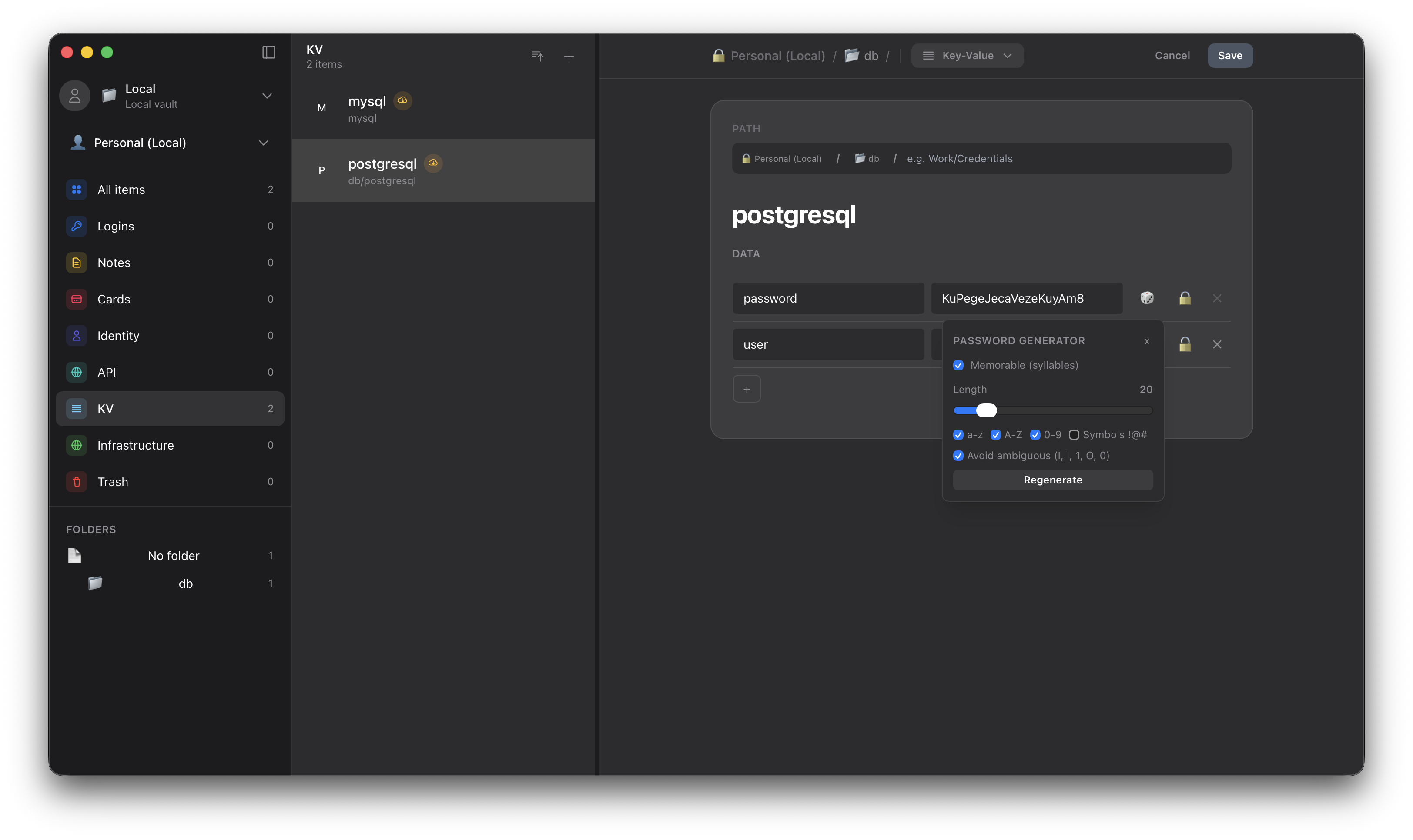
Quick start
Section titled “Quick start”Option 1: Local use (no server)
Section titled “Option 1: Local use (no server)”- Download the desktop app for your platform from Releases
- Launch the app - it works offline-first
- Create a personal vault and start using it
If your platform is not listed in Releases, build the desktop app from source (requires Rust toolchain, Bun, and Tauri system dependencies):
cd apps/desktopbun installbun run tauri buildSee CONTRIBUTING.md for platform-specific Tauri prerequisites.
Full install guide: /install/.
Option 2: Local server via Docker Compose (development quickstart)
Section titled “Option 2: Local server via Docker Compose (development quickstart)”The bundled compose.yaml is a local development quickstart, not a production
setup. For real self-hosting start from config/config.example.yaml and supply
your own secrets.
# Clone the repogit clone https://github.com/constXife/zanncd zann
# Provide peppers (the compose file refuses to start without them)cp .env.example .env# edit .env: set ZANN_PASSWORD_PEPPER and ZANN_TOKEN_PEPPER# (openssl rand -base64 32)
# Start the server via Docker Composedocker compose up -d
# The server is available at http://localhost:8080# The shared-vault master key is generated into ./data/smk on first start
System requirements (server)
Section titled “System requirements (server)”- Minimum (dev / low-load): 1 vCPU, 128 MB RAM
- Recommended (sustained load): 2 vCPU, 512 MB RAM
- Actual requirements depend on RPS, vault size, and cache policy
Architecture
Section titled “Architecture”flowchart TB subgraph Clients["Clients"] Desktop["Desktop App<br/>Offline-first"] CLI["CLI Client<br/>CI/CD ready"] end
Server["Zann Server<br/>(Axum + PostgreSQL)"]
Desktop -.->|optional| Server CLI -->|required| Server
classDef clientBox fill:#3b82f6,stroke:#1d4ed8,stroke-width:2px,color:#fff classDef serverBox fill:#8b5cf6,stroke:#6d28d9,stroke-width:2px,color:#fff
class Desktop,CLI clientBox class Server serverBoxComponents:
zann-server- HTTP API (Axum, PostgreSQL)zann-cli- CLI client for Linux/macOS/CIapps/desktop- Desktop app (Tauri, SQLite)zann-core- shared business logic and cryptography
Server threat model: crates/zann-server/SECURITY.md (assumptions and trust boundaries).
Usage overview
Section titled “Usage overview”General
Section titled “General”- Desktop is the primary client for people (personal vaults + shared vaults).
- CLI is for automation and CI/CD; it is token-based and requires the server.
- Server provides the API, shared vaults, and token issuance.
Desktop
Section titled “Desktop”- Offline-first for personal vaults; optional server connection for shared vaults.
- Recommended for interactive use and day-to-day management.
CLI (token-based)
Section titled “CLI (token-based)”- Uses tokens issued by the server (service account tokens).
- Provide tokens via
--token-file,ZANN_SERVICE_TOKEN, or a stored context. - Token values are not accepted as command-line arguments.
- Print version info with
zann version.
Example token creation and CLI setup:
# Create a service account token on the serverzann-server token create ci-prod infra:/
# Configure the CLI in your CI jobzann config set-context ci \  --addr https://zann.example.com \  --token-file /run/secrets/zann-service-account-token \  --vault infra
Server
Section titled “Server”- Runs as the shared backend (Docker Compose or prebuilt image).
- Issues tokens and enforces access scope and IP restrictions.
For DevOps and CI/CD
Section titled “For DevOps and CI/CD”Zann supports CI/CD integrations:
- Service account tokens for automation
- Prefix-based access control to limit access
- Server fingerprint pinning to prevent MITM attacks
- CLI commands like
zann secret get services/api/key --vault infrafor scripts - NixOS/systemd delivery with generation-consistent credential files
Service token + CLI example:
# 1) Create a service account token on the serverzann-server token create ci-prod infra:/# Mount the "token" output from your CI secret store as a private file
# 2) Configure the CLI in your CI jobzann config set-context ci \  --addr https://zann.example.com \  --token-file /run/secrets/zann-service-account-token \  --vault infra
# 3) Fetch a machine secret valuezann secret get services/api/key --vault infra
See Machine Secrets for the API and operating model, and NixOS Secret Delivery for the fail-closed systemd adapter.
Performance baseline
Section titled “Performance baseline”From a local k6 “morning sync” run (~500 VUs, ~2.5k req/s):
- RSS memory: ~100 MiB
- Errors: no 5xx observed
CPU usage depends on workload and database performance. See loadtest/k6/scenarios/morning_sync.js for the scenario.
Tech stack
Section titled “Tech stack”Backend: Rust, Axum, PostgreSQL, SQLx, Argon2id, ChaCha20Poly1305 Desktop: Tauri, Vue 3, TypeScript, TailwindCSS DevOps: Docker Compose, GitHub Actions, Prometheus, OpenTelemetry
Development
Section titled “Development”See CONTRIBUTING.md for local development instructions.
License
Section titled “License”MIT License - see LICENSE
Copyright 2025 constXife